How to use the remote.
Connecting
Turn the remote on. It searches for a Voltra that is switched on and not connected to the official app, connects to it, and remembers it. From then on it connects to that machine automatically.
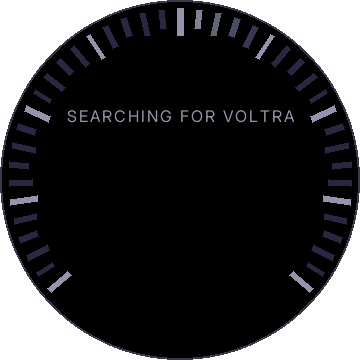
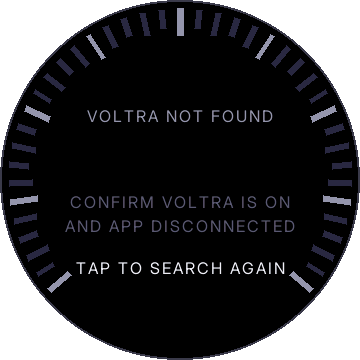
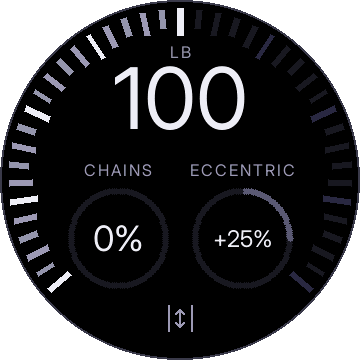
If there is more than one Voltra in range, the remote lists them. Tap the one you want. To switch machines later, use Settings › Bluetooth.
The screen
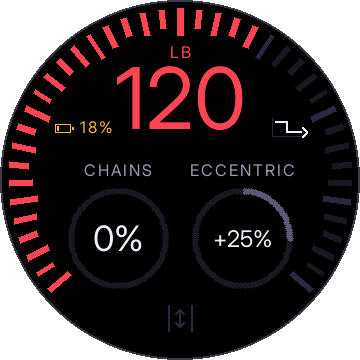
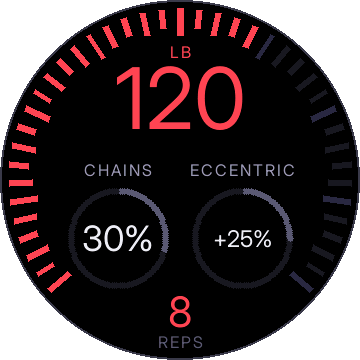
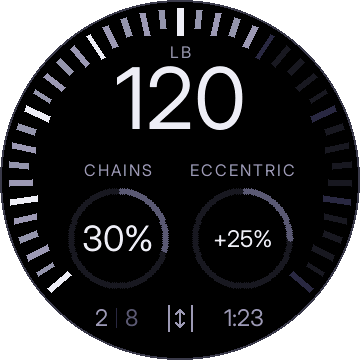
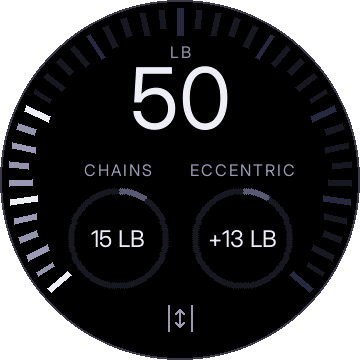
- The big number is the weight, in the unit your machine is set to (lb or kg). White means set but not loaded. Red means loaded.
- The ring around the edge fills with the weight and turns red when loaded.
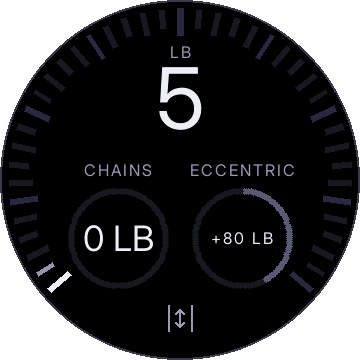
- The two gauges are chains and eccentric. See chains and eccentric.
- The bottom has the button for adjusting the cable length, and shows your reps and sets, with a rest timer between sets.
- Beside the number: the battery appears on the left when it is low, and the drop set icon appears on the right when a drop set is turned on.
Setting the weight
Turn the dial. Turn quickly and the weight moves in steps of 5 lb (2.5 kg). Turn slowly and it moves 1 lb (0.5 kg) at a time. The range is 5 to 200 lb (90 kg), or up to your machine's own maximum if it has overdrive.
Machines above 200 lb. A Voltra with overdrive tells the remote its maximum (230 or 250 lb, for example), and the remote uses it: the dial goes up to it, the rim fills to it, and in kilograms it stops at that maximum rounded down to a whole kilogram (104 kg on a 230 lb machine, 113 kg on a 250 lb one). From 100 kg the number is drawn slightly smaller so it fits. This is supported but untested: it has only been tried on a 200 lb machine. If the remote cannot read the maximum, it stays at 200 lb.
Turning the dial only sets the weight. Nothing happens on the machine until you load. If the remote is not connected yet, the dial buzzes and does nothing.
You can also turn the dial while loaded:
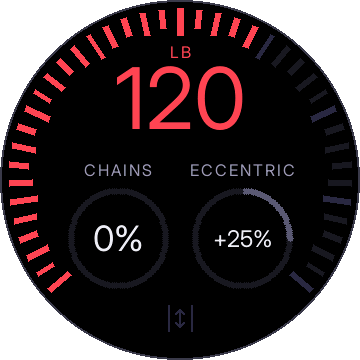
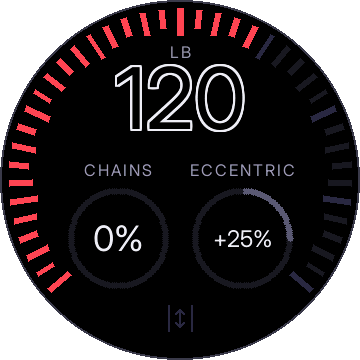
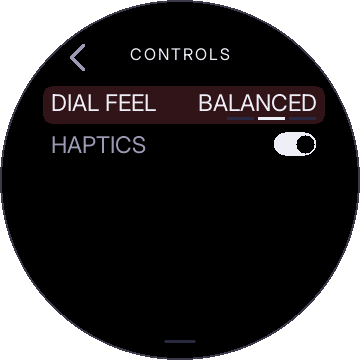
How quickly "quickly" is can be changed under Settings › Controls › Dial feel.
Load and release
With the cable retracted, tap the screen to load. Tap again to release. While loaded, a tap anywhere except on the two gauges releases.
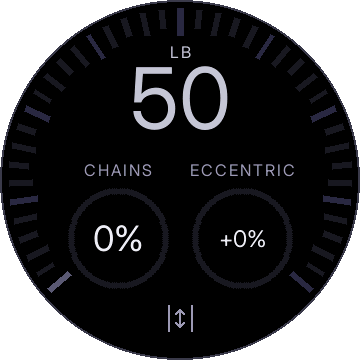
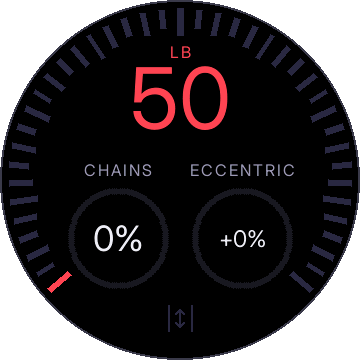
The machine only releases when told to. If the remote loses Bluetooth, runs out of battery, or restarts while loaded, the machine stays loaded. Release it from the machine's own controls if you need to. The remote shows reconnecting and reconnects on its own.
During a set
The bottom of the screen counts your reps. When you stop for a few seconds, the set ends: the rep count and set count stay on screen and a rest timer starts. You can change the weight at any time.
Auto load
Use auto load when you want to start with the handle already in your hands, such as a leg press. Instead of tapping, hold your finger on the screen for about a second and a half.
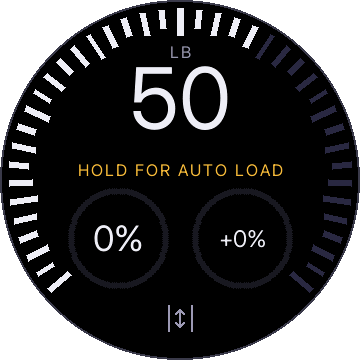
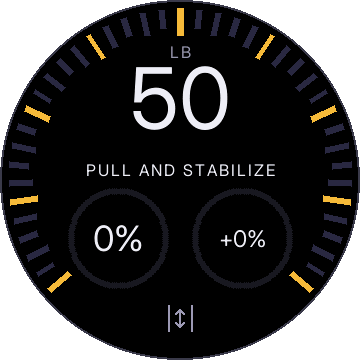
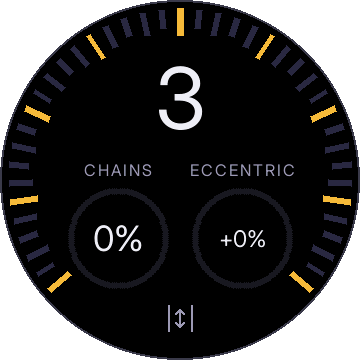
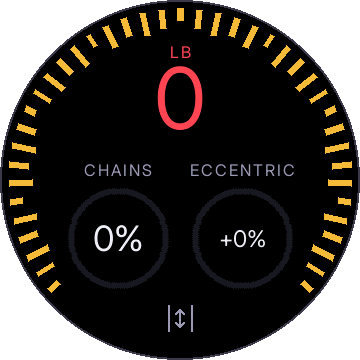
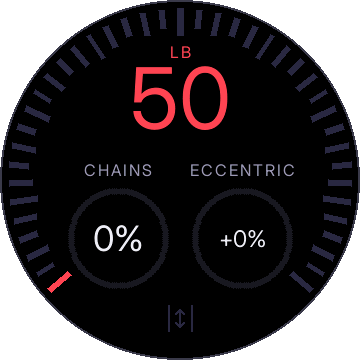
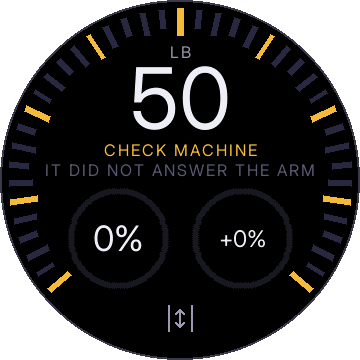
To cancel while it is waiting for your pull, tap the screen.
Loading with the cable out
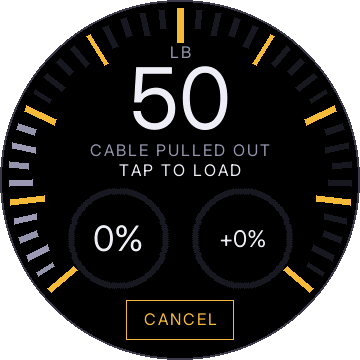
If you tap to load while the cable is already pulled out, the remote asks first.
Chains and eccentric
Hold a finger on a gauge and turn the dial to change it. While you hold it, the gauge shows the percentage and the pounds it works out to.
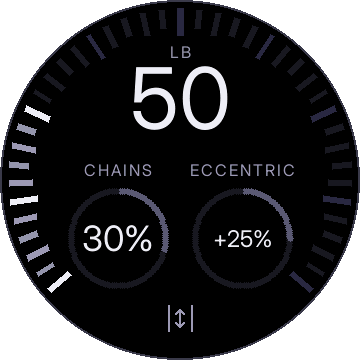
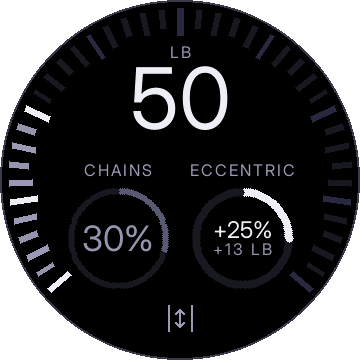
Turn the chains gauge past zero the other way for INV CHAINS.
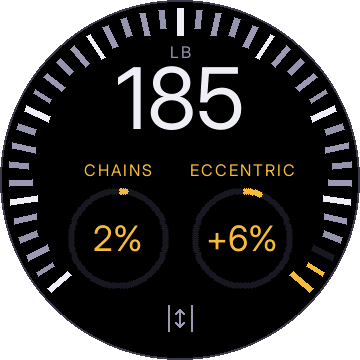
The machine tops out at 200 lb (or its overdrive maximum). If the weight plus chains and eccentric would go over that, the remote scales them down just enough to fit and shows the gauges in gold. Lower the weight and they go back to what you set.
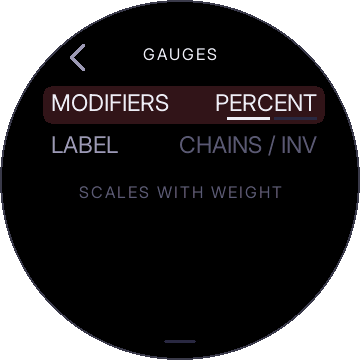
Both are percentages of the weight, so they change with it. To set them in fixed pounds instead, go to Settings › Gauges › Modifiers and choose WEIGHT. To label the chains gauge SHORTENED / LENGTHENED instead, change Settings › Gauges › Label.
Drop sets
A drop set lowers the weight partway through a set so you can keep going. The remote can do the drop for you. Open Settings › Drop set (swipe down from the top of the screen), or tap the drop set icon when one is already on.
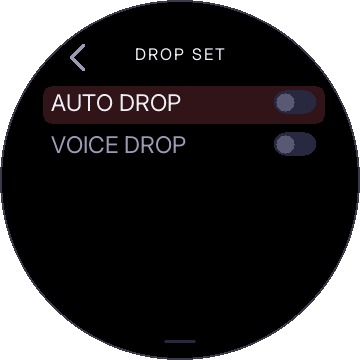
There are two switches. AUTO DROP drops the weight on its own, by rep count or when you set the cable down. VOICE DROP drops the weight when you say "drop". You can use either or both.
Drops are a percentage of the current weight, so with two 20% drops, 100 lb goes to 80, then 64. The remote never drops below 5 lb, and drops only ever lower the weight.
Rep target
Turn on AUTO DROP and set TYPE to REP TARGET. Each DROP row is one drop: after this many reps, drop by this percent. Tap a row to edit it: turn the dial for the reps, tap, turn for the percent, tap. ADD ANOTHER adds a row, up to four. Set a row's reps to 0 to remove it.
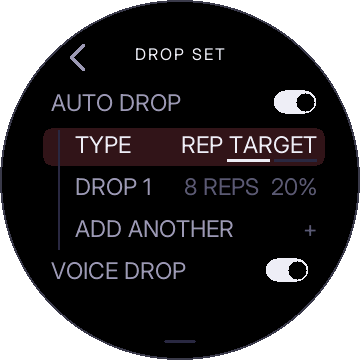
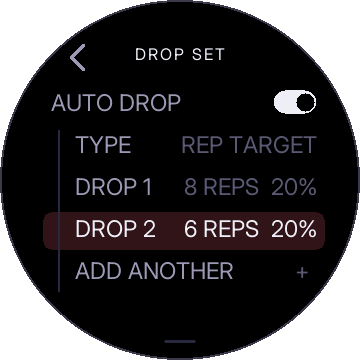
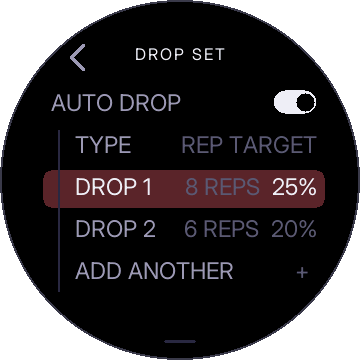
Each row counts from the previous drop. With the two rows above, the weight drops after rep 8, then again after 6 more reps. The drop happens at the bottom of that rep, so the lighter weight is there for the next pull.
After the last drop, the drop set is finished for that set. The icon turns grey. To run it again, release the cable and load again.
Set down
Set TYPE to SET DOWN. Do your reps, set the cable down and hold it still for a moment, then pick it back up. The weight has dropped. No counting.
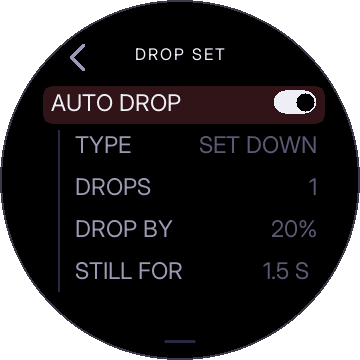
- DROPS: how many times per set a set-down drops the weight (1 to 4). After that, setting the cable down does nothing, so you can finish your set and put it down without another drop.
- DROP BY: the percentage to drop.
- STILL FOR: how long the cable has to sit still before it counts as set down (0 to 2.5 seconds). The bottom of a normal rep is shorter than this, so reps do not trigger it. Set it to 0 and the drop is triggered the moment the cable is fully retracted at the machine. Use this when the bottom of a rep is not close to the machine.
The drop is applied when you pick the cable back up, not while it is sitting down. If you set the cable down and walk away, nothing changes.
Voice drop
Turn on VOICE DROP. Say "drop" and the weight drops by the DROP BY percentage under it. Say it as many times as you like. The microphone is only on while this switch is on, and nothing is recorded or sent anywhere.
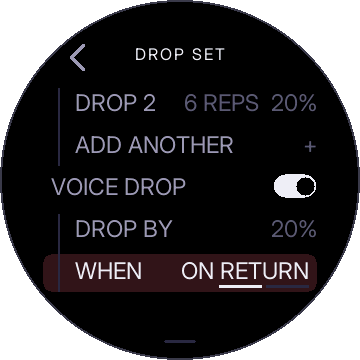
- DROP BY: the percentage for voice drops. Separate from auto drop's.
- WHEN: ON RETURN waits until you reach the bottom of the rep you are on, then drops. RIGHT AWAY drops the instant you say it, wherever the cable is.
- SENSITIVITY: LOW, MEDIUM or HIGH. Turn it up if it misses you in a loud room, down if it triggers when you did not say it.
Good to know
- Release and load to start over. Rep target and set down count within one load of the cable. Releasing and loading again resets them. Pausing does not.
- Turning the dial cancels a drop that has not happened yet. Drop set stays on.
- Return means the bottom of the rep. Set down means the cable parked and still. Rep target and voice use the return. Set down uses the set-down.
- Voice drops do not count toward the rep target rows.
The drop set icon
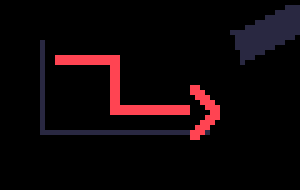
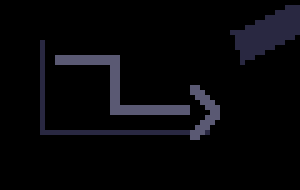
When any drop set is turned on, this icon appears to the right of the weight. If you see it, a drop set is on. If you do not, none is.
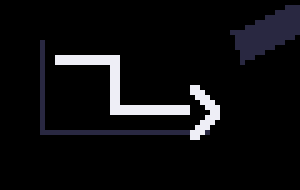
- White: a drop set is on and ready. A drop is still to come.
- Red: a drop is about to happen. It turns back to white the moment the weight changes.
- Grey: the drops for this set are used up. Release the cable and load again to reset.
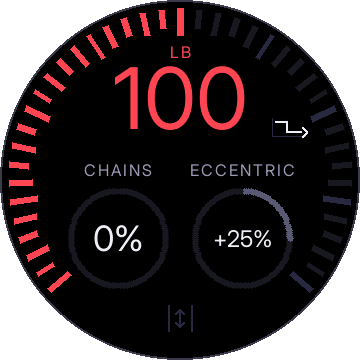
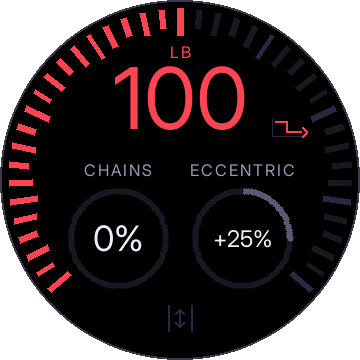
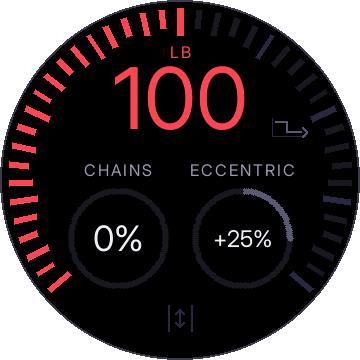
Tap the icon to open the drop set settings. This works while the cable is not loaded. While loaded, tapping it releases the cable like tapping anywhere else.
Settings
Swipe down from the top of the screen to open settings. Swipe up to close. Turn the dial to move between rows and tap to select. Switches flip with a tap. For a value, tap, turn the dial, tap again.
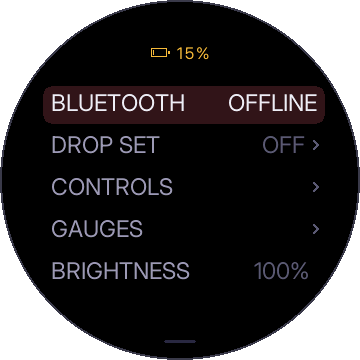
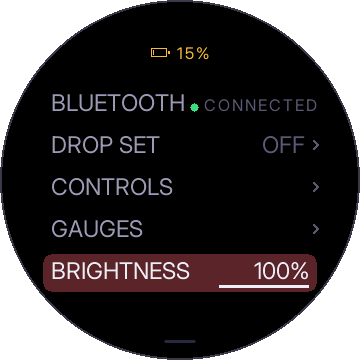
| Row | What it does |
|---|---|
| BLUETOOTH | Which machine you are connected to. Switch, disconnect, forget. See Bluetooth. |
| DROP SET | Auto drop and voice drop. See drop sets. |
| CONTROLS | DIAL FEEL (PRECISE, BALANCED, QUICK) and HAPTICS on or off. |
| GAUGES | MODIFIERS (PERCENT or WEIGHT) and LABEL (CHAINS / INV or SHORT / LENG). |
| BRIGHTNESS | 10% to 100%. |
| ABOUT | The firmware version. Include it when you ask for help. |
Bluetooth
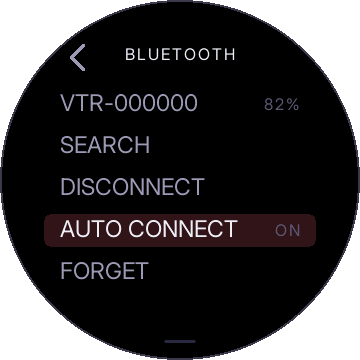
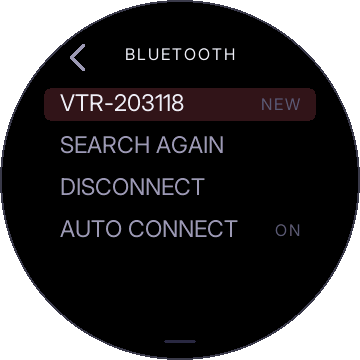
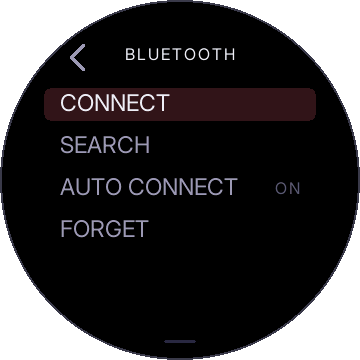
- SEARCH looks for other machines. Tap a machine in the list to switch to it.
- DISCONNECT turns the connection off until you tap CONNECT.
- AUTO CONNECT reconnects to your machine automatically when it is in range.
- FORGET forgets the remembered machine.
Battery
Charge the remote over its USB-C socket. The battery level is at the top of the settings screen. When it gets low, it also appears on the main screen.
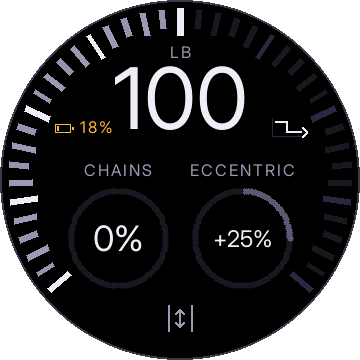
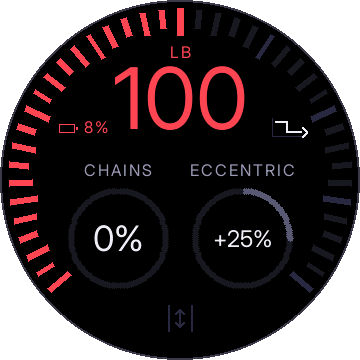
If the remote runs out mid-set, the machine stays loaded. Release it from the machine's own controls.
Cable length
To set the machine's cable length from the remote, tap the cable button at the bottom of the screen while connected and not loaded. Pull the cable out to the length you want and tap DONE.
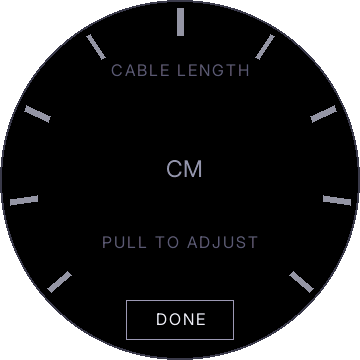
If you tap it while loaded, the remote releases the cable first, then opens this screen.
If a load does not happen
The screen tells you why.
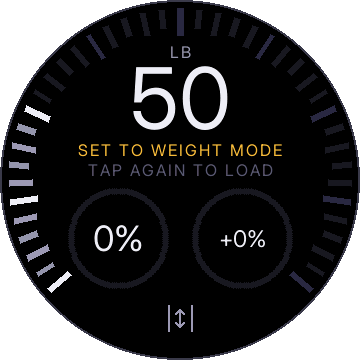
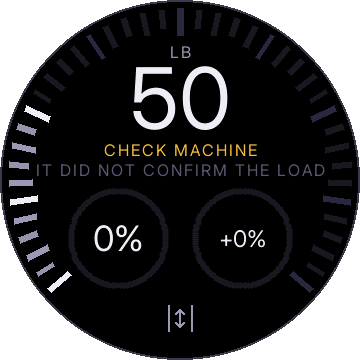
If it keeps happening, the install page can show the remote's log, and the about page says how to send it.